Comparison context
Kies je stijl.
Beschrijf je track Genereren en downloaden Maak in seconden een rechtenklare track voor je project.


Beschrijf je track. Genereren en downloaden.
Comparison context
Kies je stijl.
Workflow fit
Pas je track aan.
Navigate to MeloLab and sign in or create a free account. Access Stable Audio 2.5 alongside other models with no local setup required.

Choose Stable Audio 2.5 from the model selector. Built by Stability AI using latent diffusion architecture — the same technology behind Stable Diffusion for images.
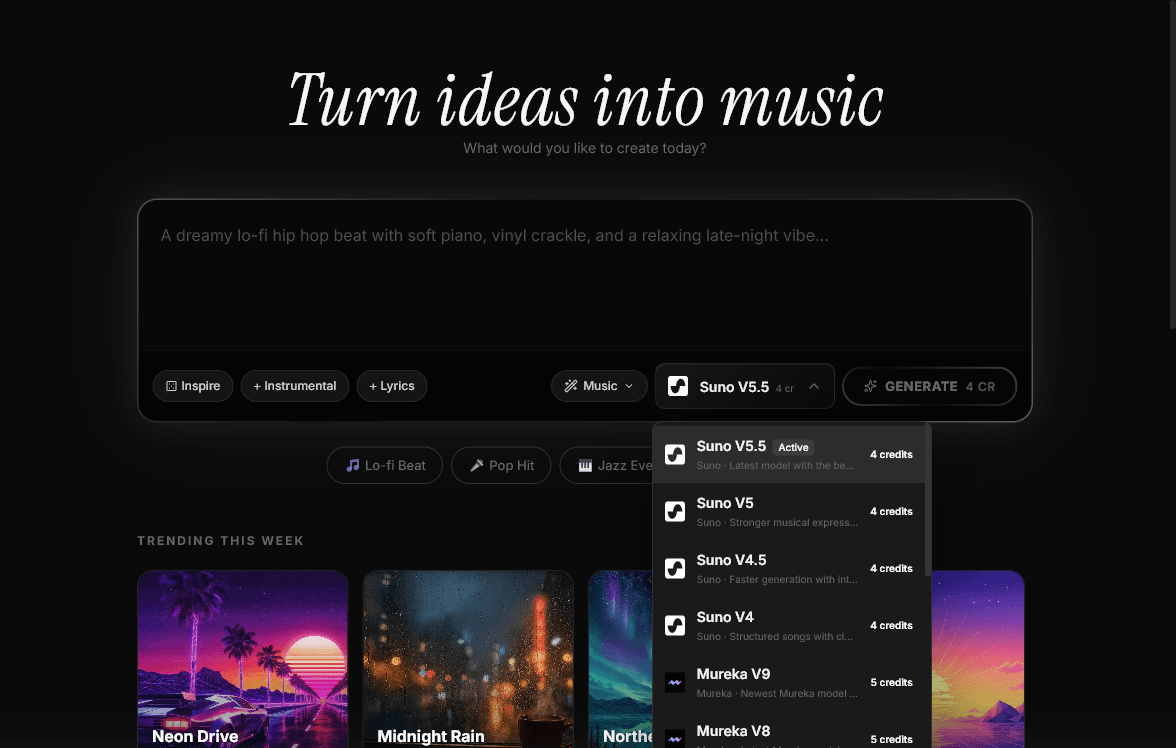
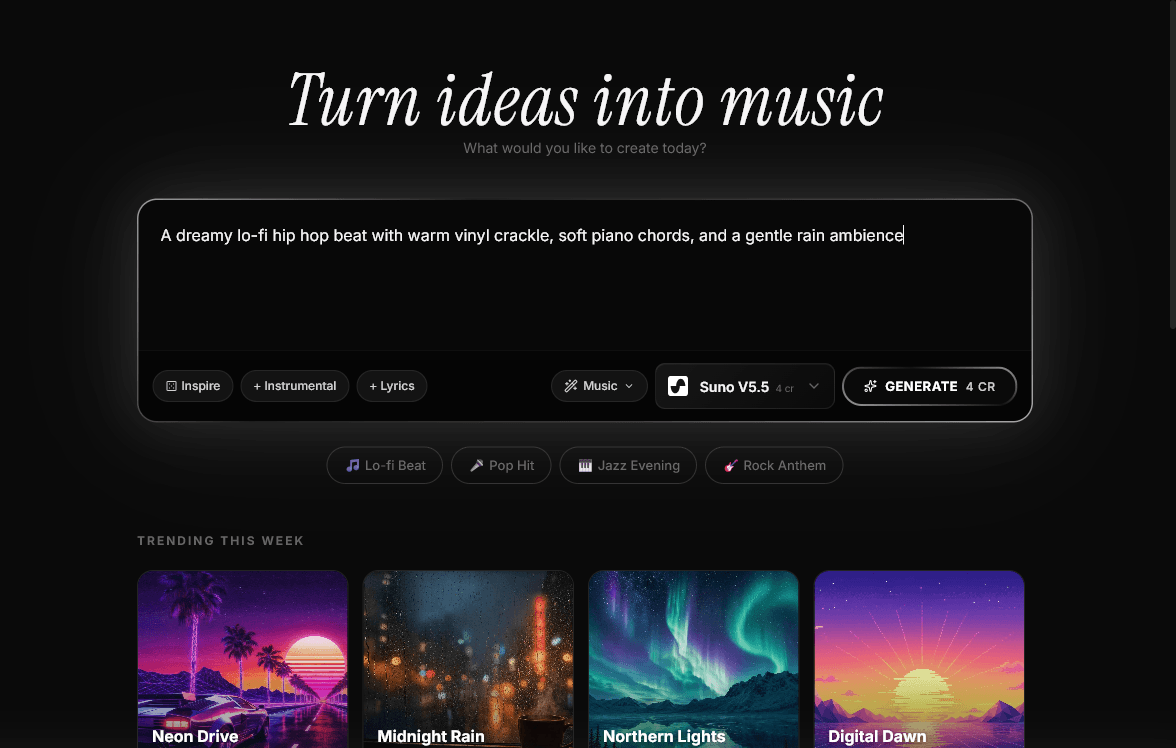
Enter a text prompt for music, sound effects, or ambient textures. Alternatively, upload an existing audio clip as a reference for audio-to-audio transformation.
Define song structure with timestamps for intros, developments, and outros. Stable Audio 2.5 supports up to 47 seconds of generation with precise structural control.
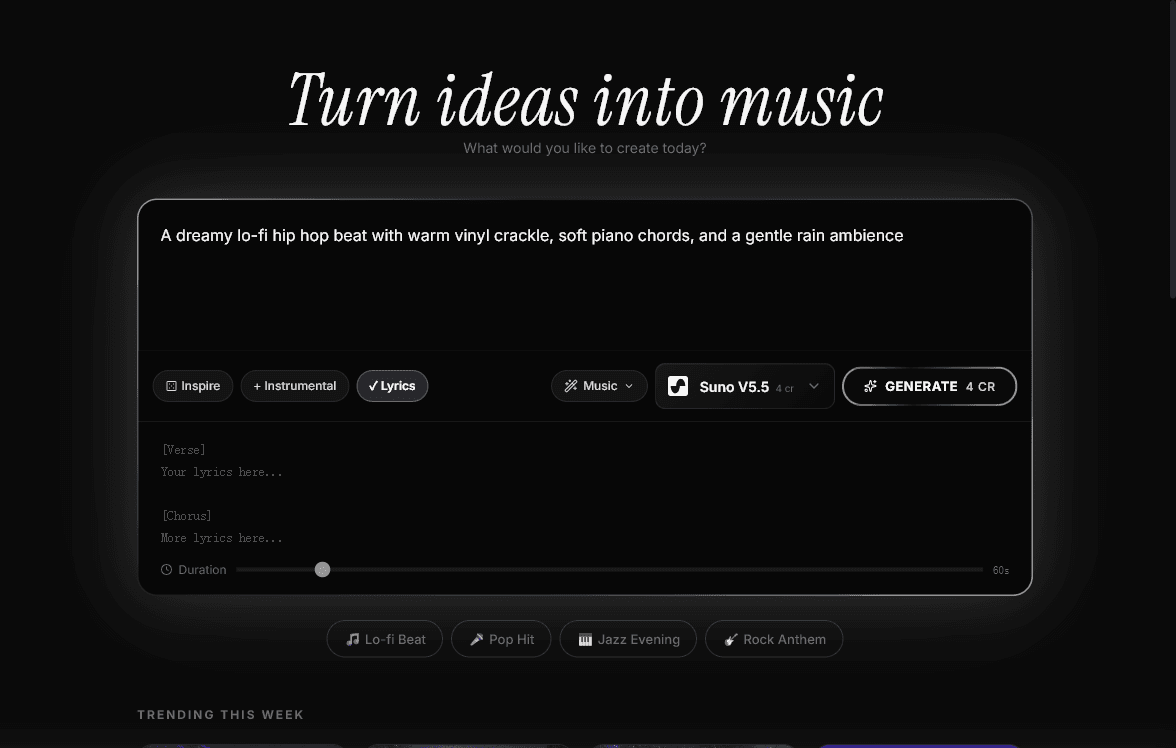
Adjust output quality settings. Stable Audio excels at both musical composition and sound design — generate structured songs, atmospheric textures, or Foley-quality sound effects.
Click generate and Stable Audio produces rich, detailed audio with complex textures and natural-sounding timbres using latent diffusion technology.
Download your generated audio for use in films, games, podcasts, and other media. Commercial licensing available on paid plans for professional projects.
Kies je stijl. Pas je track aan.
Geen creditcard nodig. Begin binnen enkele seconden.
Maak in seconden een rechtenklare track voor je project.
AI-muziektools. Probeer: Stable Audio.

Probeer: Suno AI alternatief. Geen creditcard nodig. Begin binnen enkele seconden.

Probeer: Udio AI alternatief. Geen creditcard nodig. Begin binnen enkele seconden.

Probeer: MusicGen alternatief. Geen creditcard nodig. Begin binnen enkele seconden.

Probeer: Mubert alternatief. Geen creditcard nodig. Begin binnen enkele seconden.
Probeer: Suno Alternative alternatief. Geen creditcard nodig. Begin binnen enkele seconden.

Probeer: AIVA Alternative alternatief. Geen creditcard nodig. Begin binnen enkele seconden.

Probeer: Boomy Alternative alternatief. Geen creditcard nodig. Begin binnen enkele seconden.

Probeer: Soundraw Alternative alternatief. Geen creditcard nodig. Begin binnen enkele seconden.

Probeer: Beatoven Alternative alternatief. Geen creditcard nodig. Begin binnen enkele seconden.

Probeer: MusicFX alternatief. Geen creditcard nodig. Begin binnen enkele seconden.
Probeer: Suno V4 Alternative alternatief. Geen creditcard nodig. Begin binnen enkele seconden.

Probeer: Stable Audio 2.0 alternatief. Geen creditcard nodig. Begin binnen enkele seconden.
Probeer: Suno Free alternatief. Geen creditcard nodig. Begin binnen enkele seconden.
Begin met AI-muziek maken met meer modellen, Studio-bewerking en stem-tools. Geen creditcard nodig.
MeloLabBeschrijf stijl, sfeer, instrumenten of lyrics en maak downloadbare AI-muziek in seconden.
© 2026 MeloLab. Alle rechten voorbehouden.
