
MIDI Editor Online
Edit notes, timing, velocity, and song ideas in a browser piano roll and online MIDI sequencer.
A web MIDI editor, not a generic prompt page
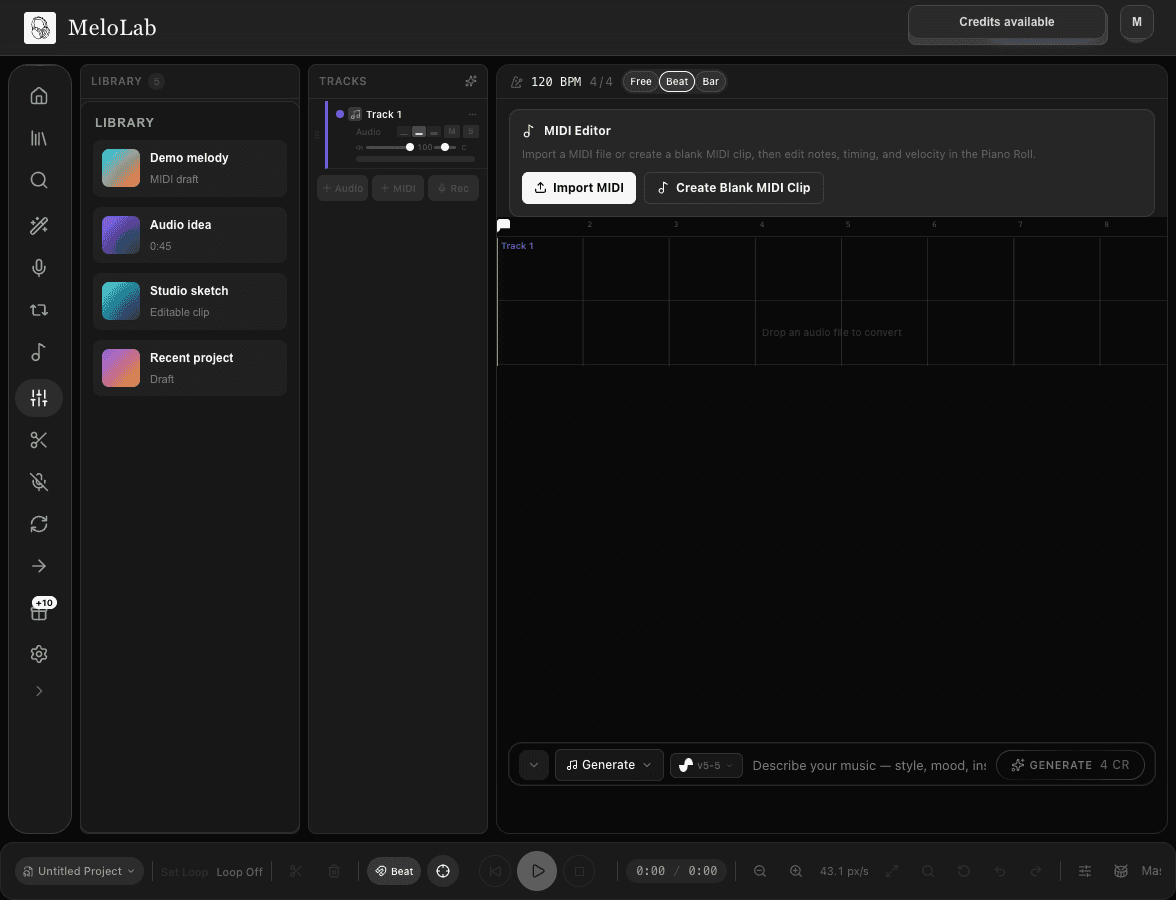
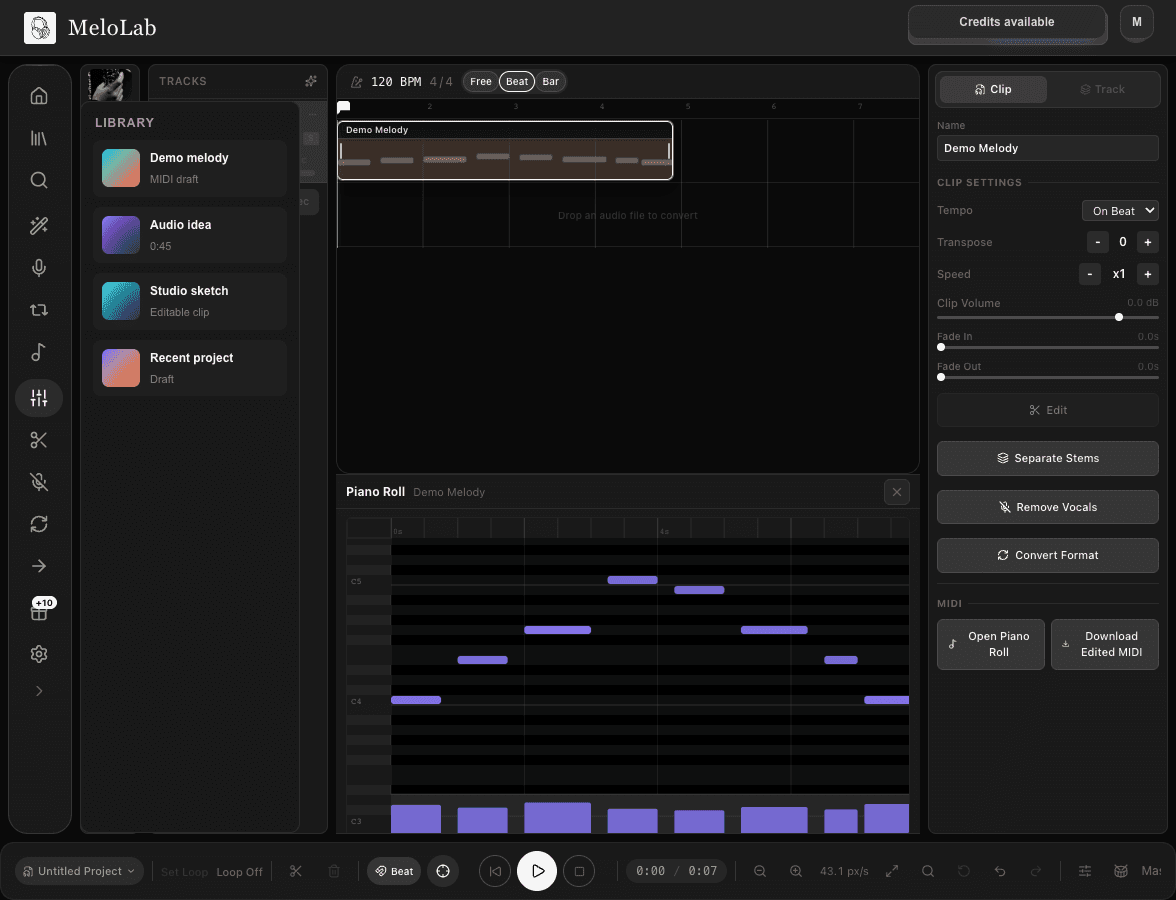
Inspect notes on a grid, adjust timing and velocity, then keep shaping the MIDI idea inside MeloLab Studio.
Open MIDI EditorType a description or pick an example ->
Try an example
How to Use MIDI Editor Online
Open Studio
Launch MeloLab Studio from the MIDI Editor page.
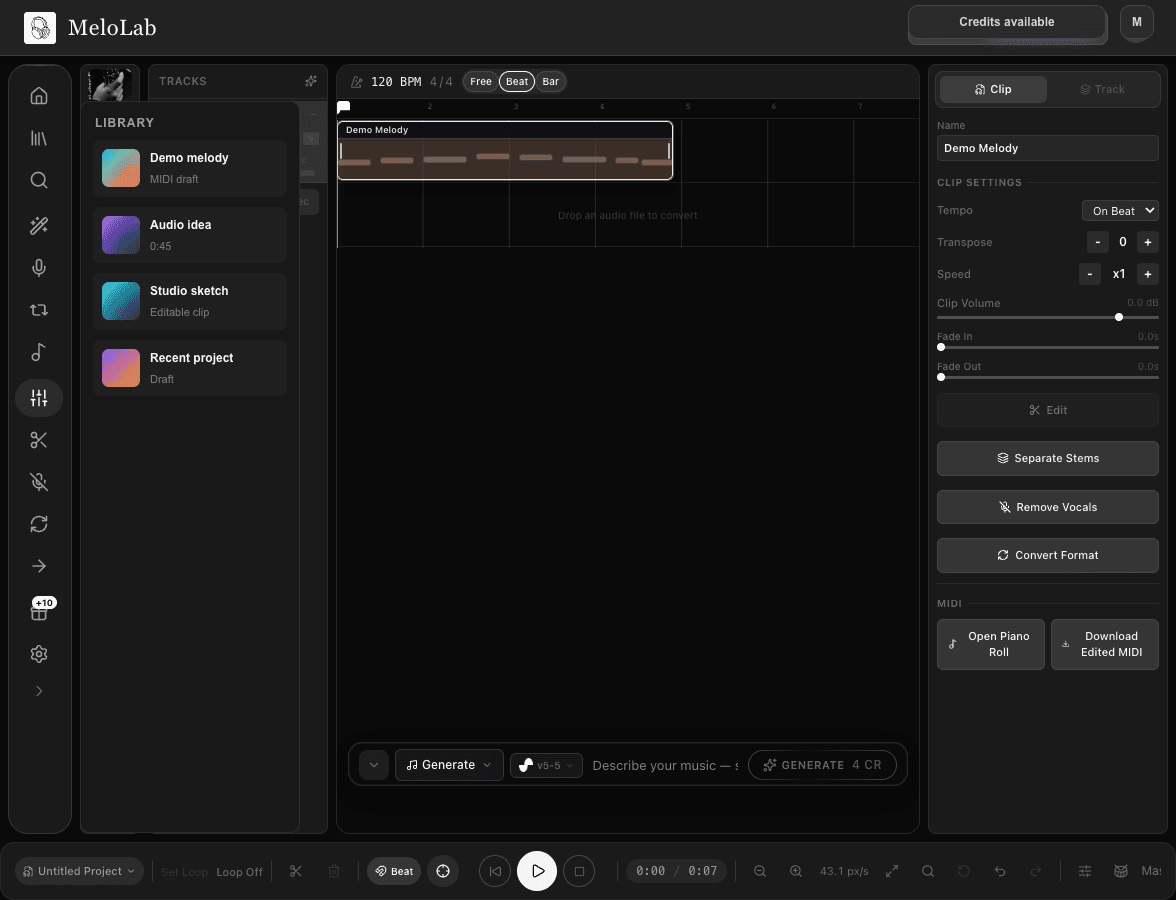
Choose a MIDI Idea
Start from an AI-generated, extracted, or Studio MIDI clip.
Edit Notes
Refine pitch, timing, note length, and velocity in the piano roll.
Online MIDI Editor Compared with Other Options
| Feature | Before | After |
|---|---|---|
| MeloLab MIDI Editor | Start from a Studio MIDI idea, AI-generated part, or audio-to-MIDI extraction. | Edit notes, timing, velocity, and clip structure in a browser-based piano roll. |
| Desktop DAW | Deepest control for full production, plugins, routing, and final mixing. | Better for advanced sessions, but slower if you only need to inspect or clean a MIDI idea. |
| MIDI player or reader | Opens a MIDI file for listening or previewing. | Usually not enough when you need to change notes, velocity, or timing. |
| Prompt-only generator | Creates a new idea from text. | Useful for inspiration, but less precise than editing the actual notes. |
When an Online MIDI Editor Helps
Fix timing after extraction
Open an audio-to-MIDI result and tighten note starts, lengths, and grid placement.
Shape velocity and feel
Make downbeats stronger, soften passing notes, and give generated MIDI a more human phrase.
Build a blank idea
Create or open a MIDI clip, sketch a melody, and continue arranging inside Studio.
Prepare a DAW handoff
Clean the MIDI idea online before exporting or continuing the production workflow where available.
Online MIDI Editing Workflow
Input
MIDI idea from Studio, audio-to-MIDI extraction, or AI music workflow
AI Processing
Edit note timing, length, pitch, and velocity in the Studio piano roll
Manual editing workflowOutput
Refined MIDI idea for Studio arrangement or DAW continuation
MIDI Editing Tips
Start with the edit goal
Decide whether you are correcting pitch, tightening rhythm, changing velocity, or simplifying a part before editing every note.
Quantize carefully
Use timing cleanup for obvious drift, but keep small human timing differences when they make the phrase feel musical.
Use audio-to-MIDI as a feeder
If you start from audio, treat the converted MIDI as a draft and use the editor to make musical decisions.
Why Choose Our MIDI Editor Online
Online Piano Roll
Review MIDI ideas in a browser-based piano roll connected to MeloLab Studio's online MIDI editor.
Edit Notes and Timing
Clean up note placement, length, timing, and musical phrasing as the Studio workflow supports it.
Velocity and Expression
Shape performance feel by adjusting velocity and note dynamics where available.
AI Music Workflow
Use MIDI editing after audio-to-MIDI extraction or AI-generated song ideas to move from draft to production.
Perfect for Every MIDI Editor Online Creator
Clean Up AI-Generated MIDI
Review generated ideas and fix timing, note length, and velocity before taking them further.
Compose in an Online MIDI Sequencer
Sketch melodies, bass lines, and chord ideas directly inside Studio's MIDI workflow.
Prepare DAW Ideas
Shape MIDI ideas online, then continue the workflow in Studio and export where available.
Related AI Music Tools
Audio to MIDI
Convert MP3 files, melodies, riffs, and loops into editable MIDI drafts for Studio.
Music Extender
Extend songs, loops, demos, and background music with an AI song extender workflow.
Stem Splitter
Separate songs into vocals, drums, bass, and instruments for remixes, samples, karaoke tracks, and DAW sessions.
Music Analysis
Upload any song and get an instant, detailed breakdown of its musical structure, key, chords, tempo, and more.
Related Music Styles
EDM Music Generator
Create EDM tracks with build-ups, risers, drops, synth hooks, and edit-ready endings.
8 Bit Music Generator
Create chiptune loops, NES-style melodies, Game Boy basslines, and retro game music from a simple prompt.
Cinematic Music Generator
Control orchestral strings, dynamics, and loop length so cinematic music fits artist sketches.
About MIDI Editor Online
MeloLab's MIDI Editor Online connects AI music generation with a producer-friendly piano roll and browser MIDI sequencer workflow. Open MIDI ideas inside Studio, inspect notes, adjust timing and velocity, and shape melodies, bass lines, chords, or generated parts before continuing your arrangement. The page is built for musicians who want a web MIDI editor for AI-generated ideas without leaving the browser. It is useful after audio-to-MIDI extraction, when an AI melody needs cleanup, or when a generated chord idea is close but needs a producer's touch. Keep expectations practical: the Studio MIDI workflow gives you an online editing path for musical ideas, while export and import options should be used where they are available in the current product.
Frequently Asked Questions
Edit MIDI Ideas Online
Open MeloLab Studio and work with MIDI ideas in the piano roll.
Open MIDI Editor