Jukebox logo
Open SourceV1

Jukebox

Use OpenAI's Jukebox model for model comparison, editing, and export-ready experiments.

Powered by OpenAI

Try these Jukebox music prompts

Commercial terms before export
Credits and storage visible
Songs, stems, mastering
Model proof

Jukebox compared by the output job

A model page is more useful when Jukebox is judged against exports, voice quality, editing control, and creator use cases.

Fictional remix musician avatar for Marcus T.

Marcus T.

@marcusloops · Remix maker

Track to editable stems

The stem workflow is where it clicked for me. I can split, remix, and rebuild ideas without starting from a blank session.

Edit workflow

Vocal, drums, bass, and instrumental paths for remixing.

Fictional podcast host avatar for Riley J.

Riley J.

@rileyrecords · Podcast host

Show concept to intro music

My show needed an intro that sounded like mine, not a template. I wrote the vibe in plain English and got an opener I can reuse.

Audio identity

Intro, outro, and segment bumper directions.

Fictional Shopify ad editor avatar for Maya R.

Maya R.

@northstudio · Shopify ads editor

Product brief to jingle

The product page became a short jingle before my ad edit was finished. That is exactly the speed a small brand needs.

Ad package

Brand hook, CTA ending, and commercial-use export path.

See It in Action

How to Use Jukebox — Step by Step

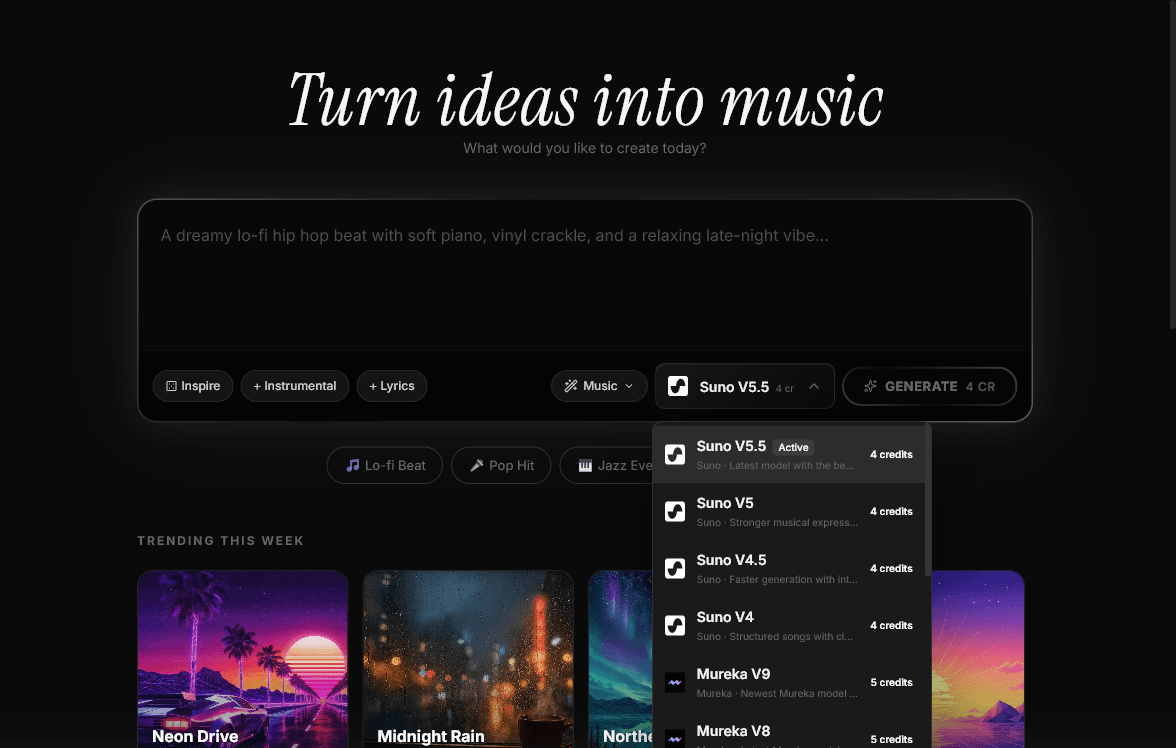
1

Open MeloLab

Navigate to MeloLab and sign in or create a free account. Access OpenAI's pioneering Jukebox model with no GPU or Python setup required.

melolab.ai/app
MeloLab interface with Jukebox selected
2

Select Jukebox

Choose Jukebox from the model selector. This historical model from OpenAI uses a hierarchical VQ-VAE + autoregressive architecture, trained on 1.2 million songs.

melolab.ai/app
MeloLab model selector dropdown showing OpenAI Jukebox
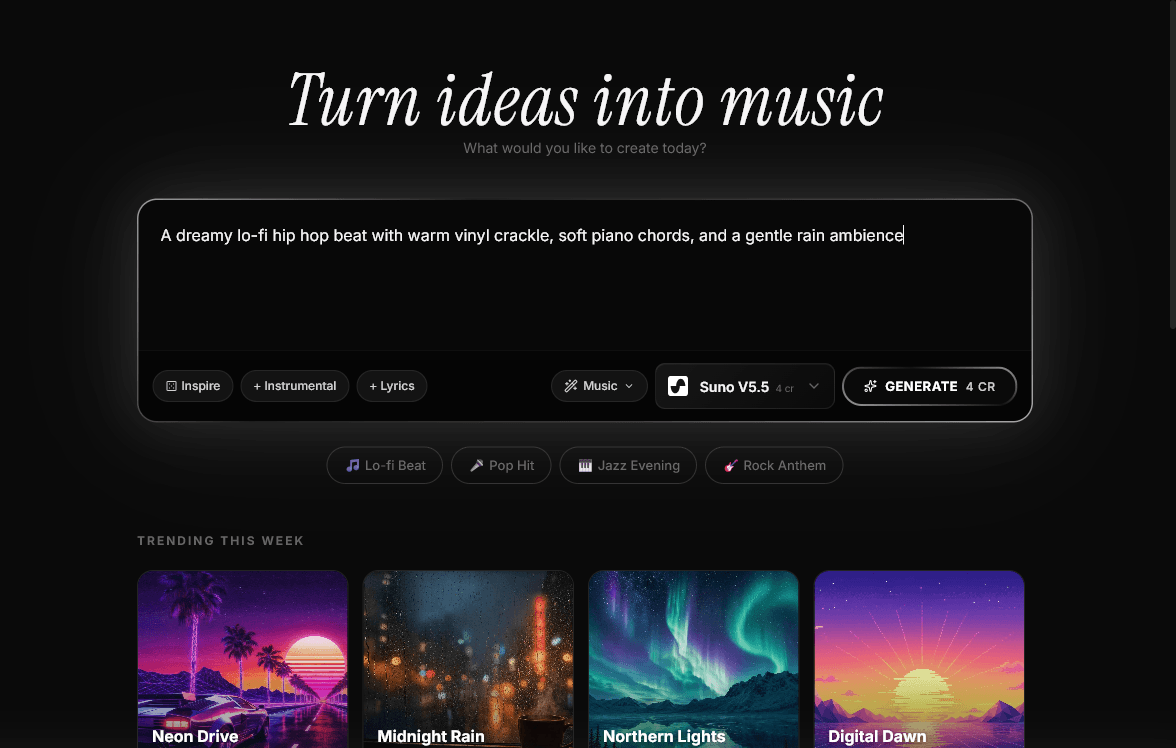
3

Choose Genre & Artist Style

Select from decades of musical genres and artist styles. Jukebox can generate convincing approximations from 1950s rock and roll to modern hip-hop and classical compositions.

melolab.ai/app
MeloLab prompt input filled with Jukebox genre and style description
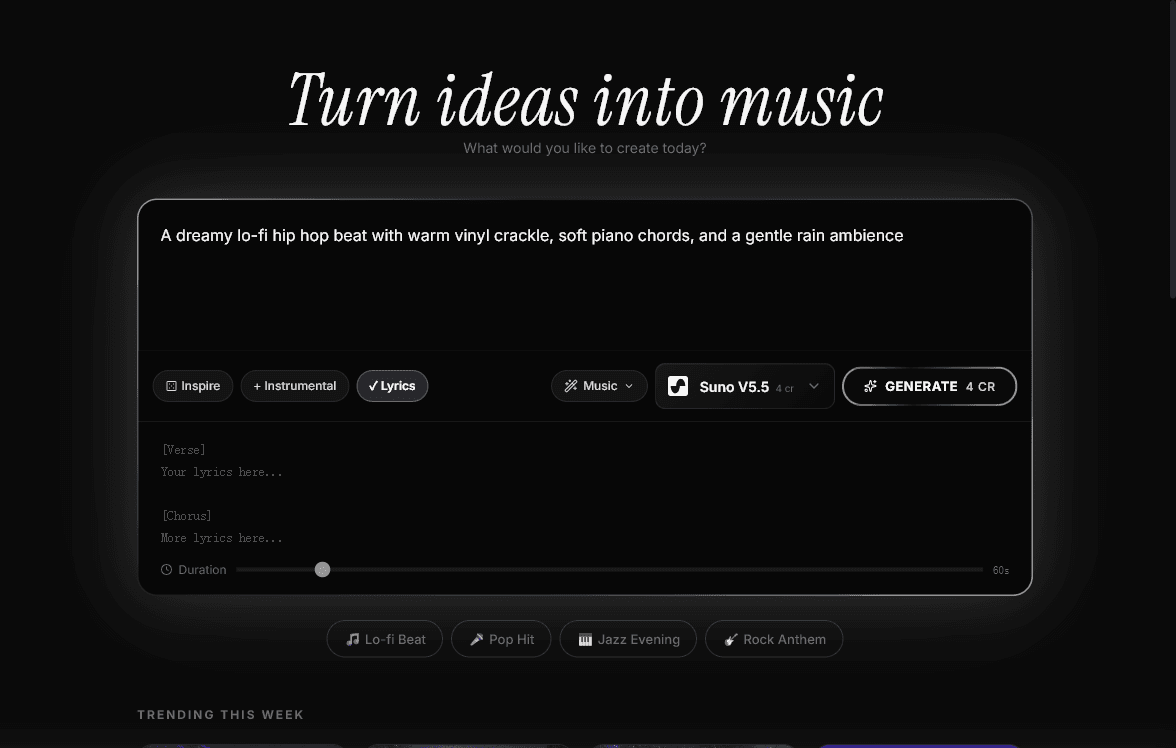
4

Input or Generate Lyrics

Enter your own lyrics and Jukebox creates melodies and vocal performances that align with your text — a pioneering lyric-conditioned generation approach that was groundbreaking at release.

melolab.ai/app
MeloLab lyrics mode expanded for Jukebox lyric-conditioned generation
5

Configure Sampling Parameters

Adjust sampling temperature, top-p, and other parameters to control the diversity and quality of generation. Jukebox operates at the raw audio level for full sonic texture.

6

Generate

Click generate and Jukebox produces music at the raw audio level using multi-scale VQ-VAE, capturing instrument timbres, room acoustics, and vocal characteristics.

7

Wait for Processing & Download

Jukebox generation requires more processing time due to its raw audio synthesis approach. Once complete, download your track and experience AI music history — note the repository was archived in April 2026.

What is Jukebox?

Jukebox is OpenAI's pioneering AI music generation model, originally released in 2020. The GitHub repository was archived on April 8, 2026, and is now read-only. It was one of the first models to demonstrate convincing AI-generated music with vocals, trained on 1.2 million songs using a multi-scale VQ-VAE architecture.

While no longer actively developed, Jukebox remains an important milestone in AI music research. OpenAI is reportedly developing a new AI music generation model that would be Jukebox's spiritual successor, potentially competing with Suno and Udio.

On MeloLab, Jukebox is available as a historical reference model, allowing you to experience where AI music generation began.

Jukebox V1 should be evaluated by its real output behavior: how it follows structure prompts, handles vocals or instrumental passages, responds to genre tags, and fits into a repeatable creation workflow. On MeloLab, OpenAI output can be tested beside other models so creators can choose it for songwriting, scoring, and content production when its tone, speed, and control style match the project.


Technical Specifications

Developer
OpenAI
Released
2020
Status
Archived (April 2026)
Training Data
1.2 million songs
Architecture
Multi-scale VQ-VAE
License
Open Source

Key Features of Jukebox

Neural Audio Synthesis

Jukebox generates music at the raw audio level using a hierarchical VQ-VAE architecture. This approach produces music with natural timbral qualities and realistic sonic texture that captures the nuances of real audio.

Lyric-Conditioned

Generate music that follows specific lyrics you provide. Jukebox can create melodies and vocal performances that align with your text, producing songs where the music matches the lyrical content.

Genre Diversity

Trained on a massive dataset spanning many genres and decades of music. Jukebox can generate convincing approximations of everything from 1950s rock and roll to modern hip-hop, classical compositions to electronic dance music.

Cloud-Powered

Running Jukebox locally requires significant GPU resources. MeloLab provides cloud-powered access so you can generate music instantly in your browser without any hardware requirements or technical setup.

Explore Other AI Models & Tools

Frequently Asked Questions

Try Jukebox Free

No credit card required. Start creating in seconds.

Your next song starts here.

No credit card required. Generate your first track in under 60 seconds.

View Pricing