Comparison context
MeloLab eliminates all of that.
Use MeloLab as a no-setup MusicGen alternative for browser generation, editing, stems, and export-ready drafts.


MusicGen, developed by Meta's research team, is one of the most well-known open-source music generation models and has been widely adopted by developers and researchers. While the model itself is impressive, using MusicGen in production requires technical setup — running inference pipelines, managing GPU resources, and building your own interface.
Comparison context
MeloLab eliminates all of that.
Workflow fit
With a polished web interface, multiple generation models including ones inspired by MusicGen's architecture, a built-in studio editor, stem separation, and a remix-ready workflow, MeloLab delivers the power of modern music AI without the infrastructure headaches.
Decision guide
The generous free tier makes it accessible to everyone from hobbyists to professional producers.
These examples keep MusicGen grounded in jobs creators care about: drafts, edits, stems, commercial assets, and publishing speed.

@northstudio · Shopify ads editor
Illustrative creator scenarioProduct brief to jingle
“The product page became a short jingle before my ad edit was finished. That is exactly the speed a small brand needs.”
Ad package
Brand hook, CTA ending, and commercial-use export path.

@rileyrecords · Podcast host
Illustrative creator scenarioShow concept to intro music
“My show needed an intro that sounded like mine, not a template. I wrote the vibe in plain English and got an opener I can reuse.”
Audio identity
Intro, outro, and segment bumper directions.

@marcusloops · Remix maker
Illustrative creator scenarioTrack to editable stems
“The stem workflow is where it clicked for me. I can split, remix, and rebuild ideas without starting from a blank session.”
Edit workflow
Vocal, drums, bass, and instrumental paths for remixing.
Creators comparing MusicGen with MeloLab usually care about what happens after the first generation: choosing alternate models, editing structure, separating stems, exporting usable audio, and keeping rights simple for client or channel work.
Use this page to decide whether Text To plus Stable Audio, Musicfx, Stable Audio 2 gives you a more flexible path than staying inside a single-model workflow.
| Feature | MeloLab | MusicGen |
|---|---|---|
| AI Music Models | Current models | 1 model |
| Studio Editor | ||
| Stem Separation | ||
| Setup Required | None (browser) | Python + GPU |
| AI Cover | ||
| AI Remix | ||
| Free Tier | Generous daily credits | Self-hosted (free) |
| Music Extender | ||
| Batch Generation | ||
| Pricing | From $0/mo | Free (self-hosted) |
No technical setup required — MusicGen requires Python environments, GPU access, and command-line knowledge. MeloLab runs entirely in your browser with zero setup — just open the page and start generating.
Built-in studio editor — Edit, arrange, and fine-tune your generated tracks visually. MusicGen only outputs raw audio — MeloLab gives you the tools to shape that audio into a finished track.
Multiple AI models — Access several generation engines with different sonic characteristics, not just a single model. Choose the engine that best matches your genre, mood, and production goals.
Stem separation and remix tools — Pull apart any generated track into individual stems for remixing, sampling, and creative reuse. MusicGen does not include any post-generation editing or stem capabilities.
Free tier with real production value — Generate, edit, and download music without paying or configuring anything. MeloLab's free plan is designed for creators who want to produce real work, not just experiment.
Navigate to MeloLab and sign in or create a free account. Access Meta's MusicGen Large alongside other models with no Python or GPU setup needed.

Choose MusicGen Large from the model selector. This open-source model from Meta AI uses a single-stage transformer architecture under the MIT license.
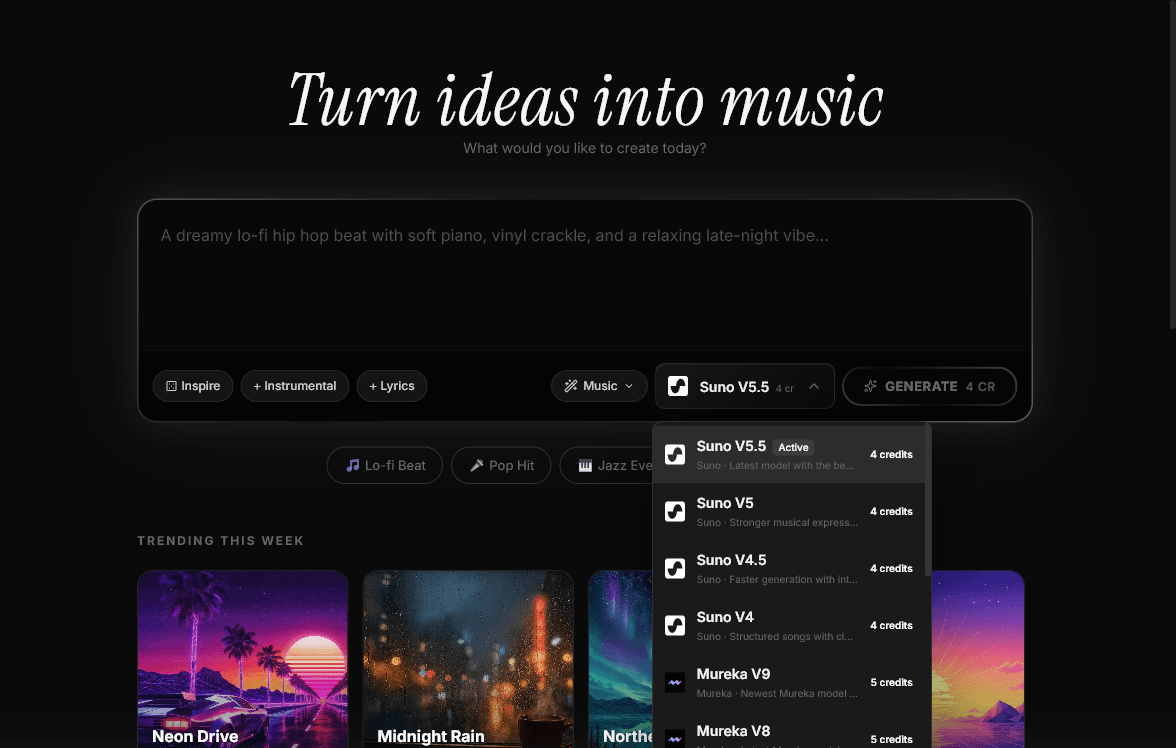
Describe the music you want — genre, instruments, mood, tempo. MusicGen generates coherent musical sequences from natural language prompts with proper harmonic progression.
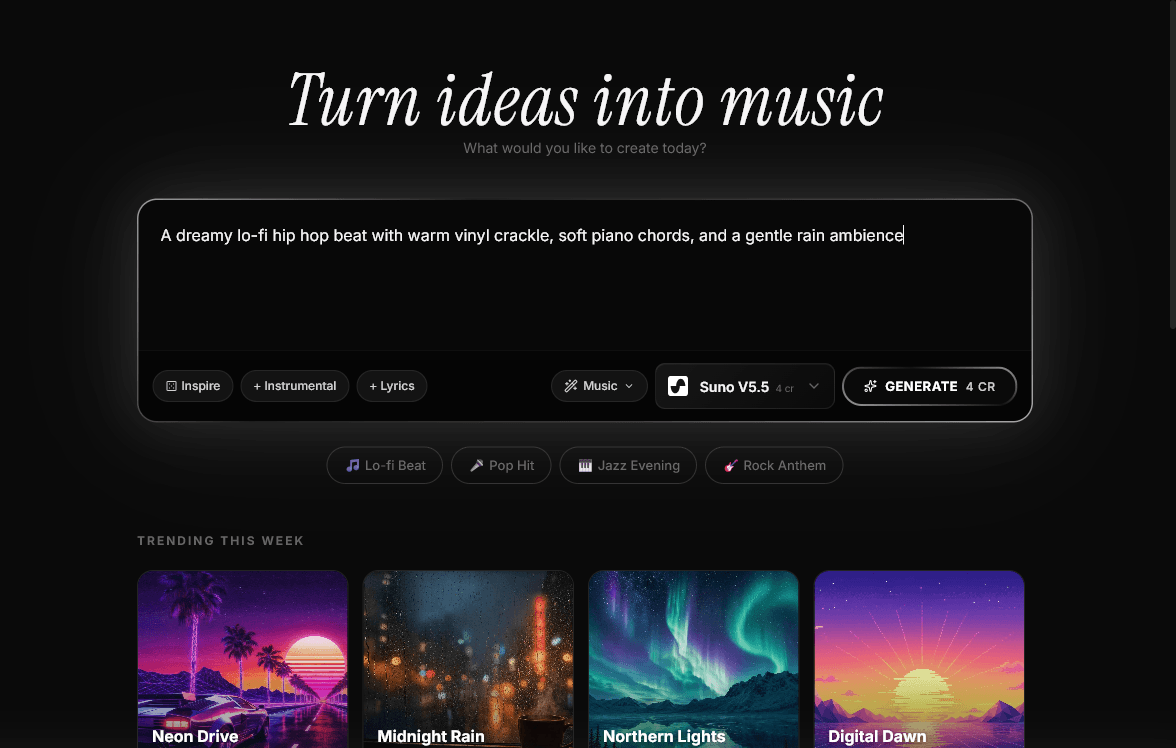
Provide a melody as a conditioning signal. MusicGen generates music that follows your melodic input while matching the described style — a unique melody conditioning feature.
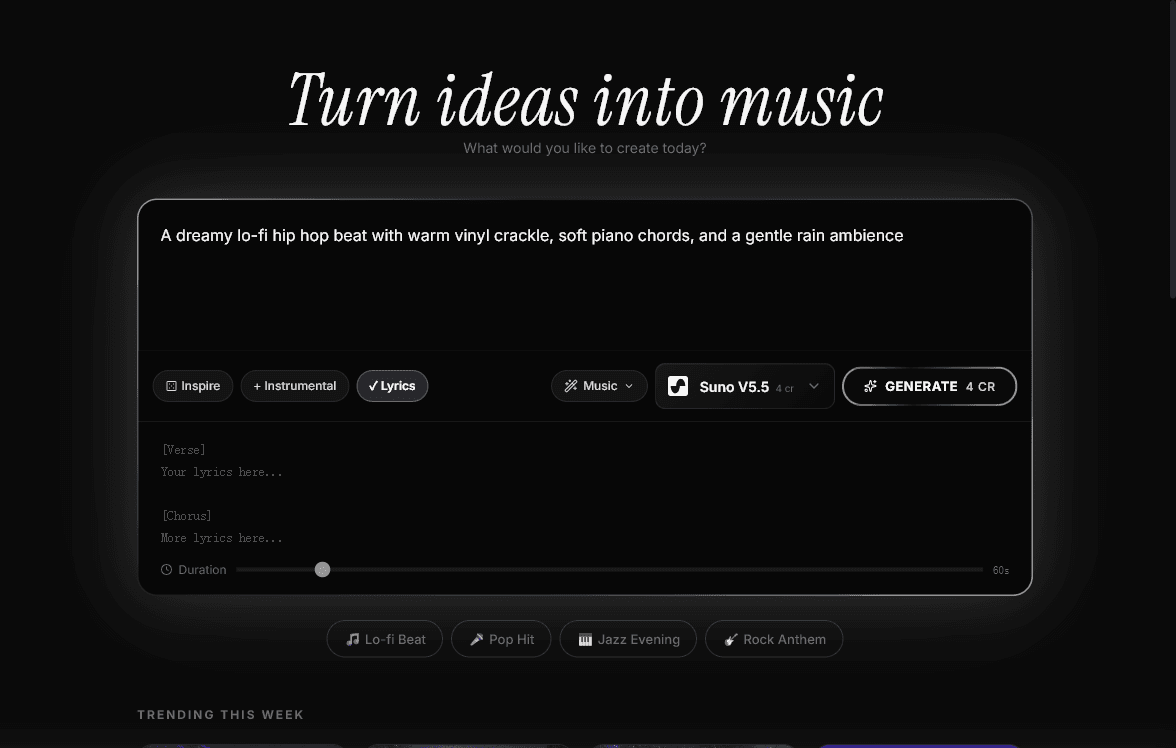
Select from available model sizes. MusicGen Large offers the highest quality output in the MusicGen family, trained on a diverse dataset for versatile generation across genres.
Set output parameters and click generate. MusicGen's single-stage transformer produces high-quality audio with rhythmic consistency and melodic development.
Download your generated track and experiment with different prompts. Everything runs in the browser on MeloLab — no Python, GPU, or local installation required.
“I was running MusicGen locally with a 3090 and it was a pain. MeloLab gives me the same results without touching a terminal.”
“MeloLab covers MusicGen's quality plus adds editing tools. It's like having MusicGen plus a DAW in one browser tab.”
“No more waiting for inference to finish. MeloLab processes everything in the cloud and I can focus on creating.”
Use MeloLab's API-ready output in applications and services that need AI-generated music without managing ML infrastructure.
Quickly generate music samples for prototypes, demos, and proof-of-concept projects.
Create music for educational videos, presentations, and e-learning content with clear license terms.
Produce background music for YouTube, podcasts, and social media at zero infrastructure cost.

Compare Suno with MeloLab when creators need generation plus editing, stems, remixing, and export control.

Use MeloLab as a Udio AI alternative for video teams who want editing after generation.

Move from Stable Audio limits into a workspace for multi-model generation, remixing, and downloadable tracks.

Compare Mubert with MeloLab when marketing teams need commercial-safe exports, stems, and export control.
Use MeloLab as a Suno Alternative alternative for educators who want editing after generation.

Move from AIVA Alternative limits into a workspace for song editing, remixing, and downloadable tracks.

See how MeloLab complements or replaces Boomy Alternative for songwriters building production-ready music.

Compare Soundraw Alternative with MeloLab when producers need creator licensing, stems, and export control.

Use MeloLab as a Beatoven Alternative alternative for video teams who want editing after generation.

Move from MusicFX limits into a workspace for remix tools, remixing, and downloadable tracks.
See how MeloLab complements or replaces Suno V4 Alternative for indie artists building production-ready music.
Compare Stable Audio 2.0 with MeloLab when marketing teams need arrangement control, stems, and export control.
See how MeloLab complements or replaces Suno Free for indie artists building production-ready music.
Create full AI songs, vocals, instrumental tracks, and background music from prompts, lyrics, and style tags.
Turn prompts, use cases, lyrics, and style notes into complete AI songs you can refine and export.
Add a generated intro or outro to a rights-cleared MP3, then compare the transition before you export.
Separate songs into vocals, drums, bass, and instrument stems for remixes, samples, karaoke tracks, and DAW sessions.
Start creating AI music with more models, studio editing, and stem tools. No credit card required.
No credit card required. Generate your first track in under 60 seconds.
MeloLabAI-powered music generation platform. Create songs with vocals, custom lyrics, and stem separation. Paid plans include commercial use rights for eligible music.
© 2026 MeloLab. All rights reserved.
