Comparison context
But as the technology has evolved, creators are finding they need more than just a simple prompt-to-track workflow.
Compare Suno with MeloLab when creators need generation plus editing, stems, remixing, and export control.


Suno AI popularized AI music generation by making it easy to create full songs from a text prompt. MeloLab currently exposes Suno V6, whose documented improvements focus on greater musical expression, more natural vocals, and richer detail.
Comparison context
But as the technology has evolved, creators are finding they need more than just a simple prompt-to-track workflow.
Workflow fit
MeloLab was built to go further — offering multiple generation models, a full studio editor, stem separation, and real-time remixing capabilities that Suno does not provide.
Decision guide
Whether you are a content creator who needs background music with clear license status, a musician looking for creative starting points, or a producer who wants fine-grained control over every element, MeloLab delivers a more complete toolkit at a fraction of the cost.
These examples keep Suno AI grounded in jobs creators care about: drafts, edits, stems, commercial assets, and publishing speed.

@rileyrecords · Podcast host
Illustrative creator scenarioShow concept to intro music
“My show needed an intro that sounded like mine, not a template. I wrote the vibe in plain English and got an opener I can reuse.”
Audio identity
Intro, outro, and segment bumper directions.

@marcusloops · Remix maker
Illustrative creator scenarioTrack to editable stems
“The stem workflow is where it clicked for me. I can split, remix, and rebuild ideas without starting from a blank session.”
Edit workflow
Vocal, drums, bass, and instrumental paths for remixing.

@northstudio · Shopify ads editor
Illustrative creator scenarioProduct brief to jingle
“The product page became a short jingle before my ad edit was finished. That is exactly the speed a small brand needs.”
Ad package
Brand hook, CTA ending, and commercial-use export path.
The generous free tier lets you generate, edit, and download tracks without hitting paywalls at every turn.
| Feature | MeloLab | Suno AI |
|---|---|---|
| AI Music Models | Current models | 1 model |
| Studio Editor | ||
| Stem Separation | ||
| AI Cover | ||
| AI Remix | ||
| Vocal Remover | ||
| Free Tier | Generous daily credits | Limited daily credits |
| Music Extender | ||
| Batch Generation | ||
| Pricing | From $0/mo | From $0/mo |
More generation models — MeloLab gives you access to multiple AI music models so you can pick the sound that fits, rather than being locked into a single engine.
Studio editor included — Edit, arrange, and fine-tune your tracks in a built-in studio. Suno offers basic song generation but no post-production tools.
Better free tier — Generate, edit, and download tracks without running into aggressive usage caps. MeloLab's free plan is designed for real creative work.
No wait times — Skip the queue. MeloLab processes generation requests immediately so you can iterate faster and stay in your creative flow.
Stem separation built-in — Isolate vocals, drums, bass, and melody from any generated track. This feature is essential for remixing and requires a separate tool in Suno's ecosystem.
Navigate to MeloLab and sign in or create an account. Access Suno V6 alongside the other available music models.
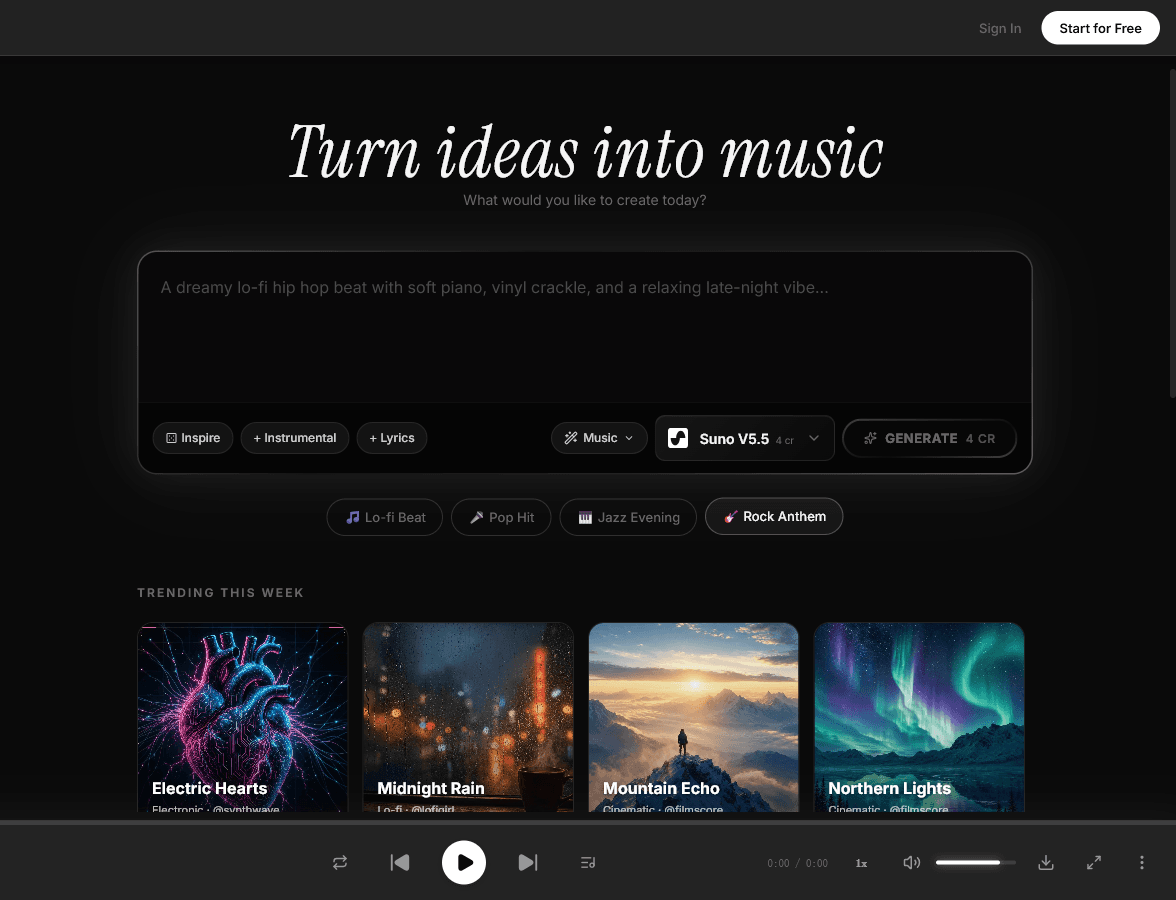
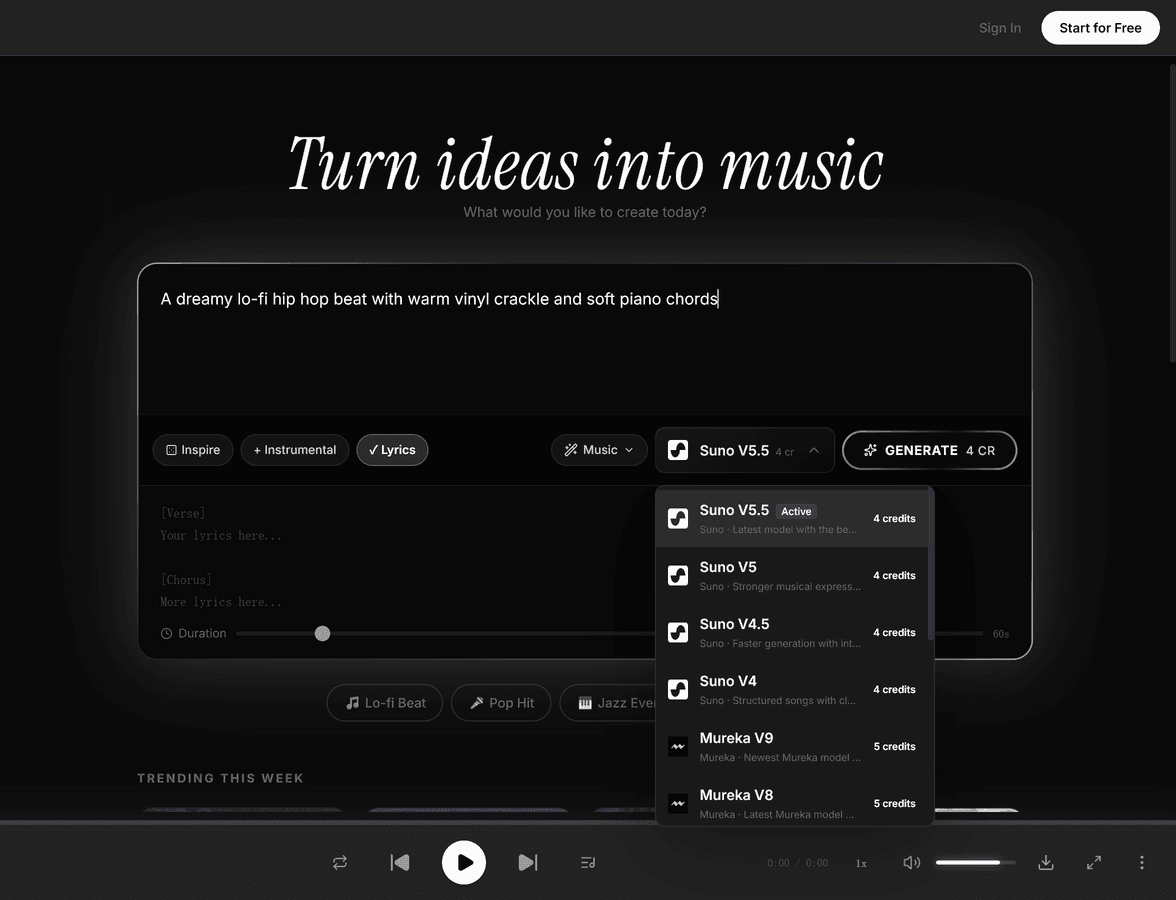
Choose Suno V6 from the model selector for greater musical expression, more natural vocals, and richer detail.
Switch between Custom mode for full creative control over lyrics and style, or Auto mode for quick generation from a simple text description.
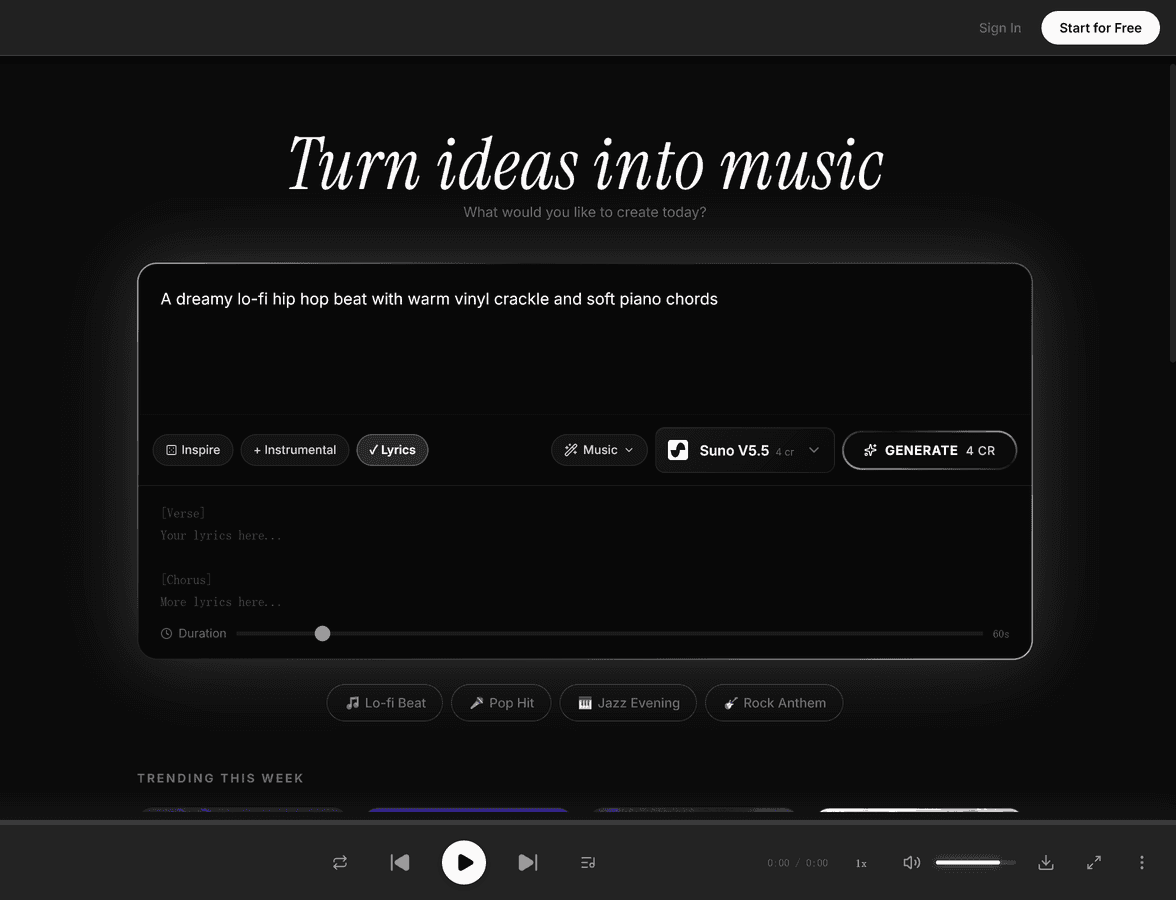
Enter custom lyrics or toggle instrumental mode to generate music without vocals.
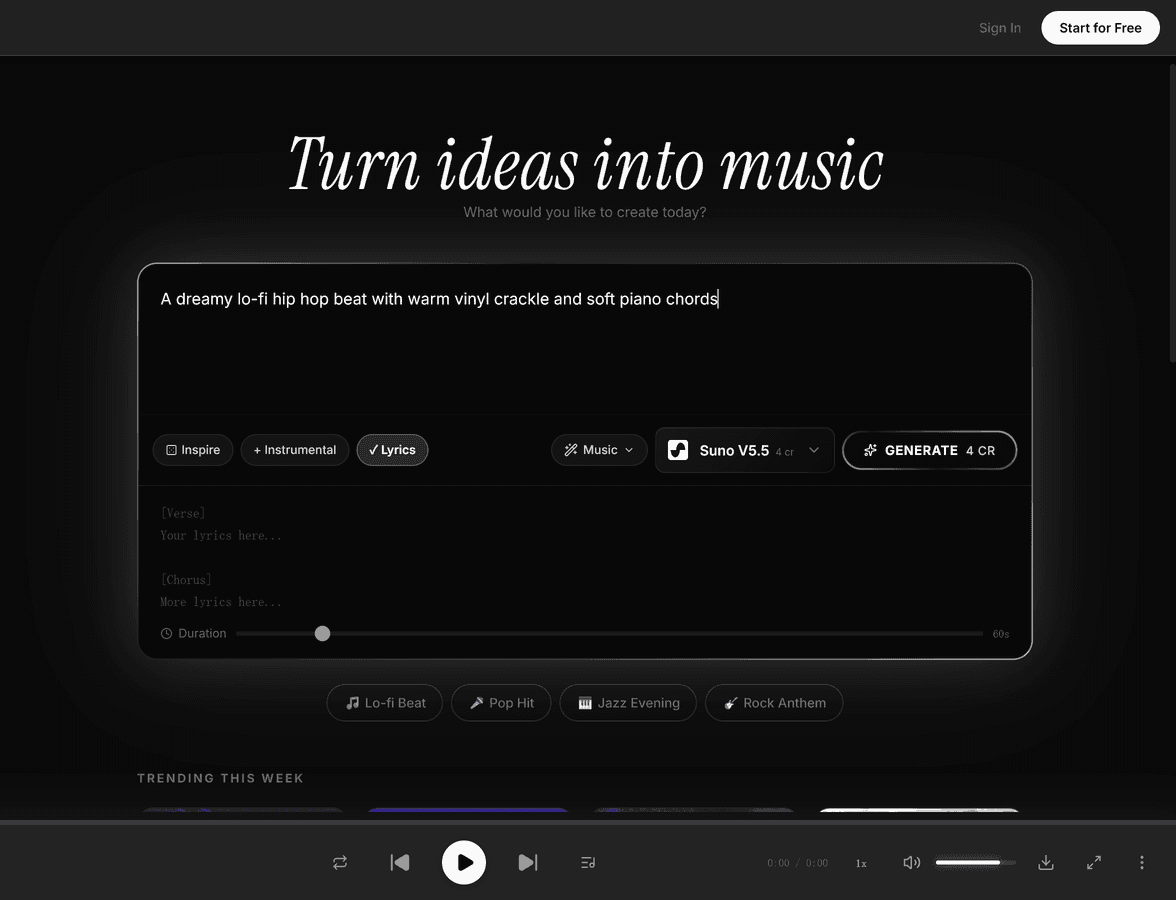
Define genre, mood, and style using tags or free-text descriptions. Fine-tune the creative direction with detailed prompts covering instrumentation, tempo, and vocal character.
Use supplied lyrics for a vocal track, or enable instrumental mode and describe the musical direction you want.
Generate a take, listen to the result, and compare its vocals, instrumentation, expression, and detail with your prompt.
Sign up for free at melolab.ai — no credit card needed. Your account gives you immediate access to Suno and other current AI music models.
Copy your favorite Suno prompts and paste them into MeloLab. You'll get similar results with the same Suno model, plus the option to try other models for different sonic characters.
Use MeloLab's built-in studio editor to arrange, edit, and fine-tune your tracks. Try stem separation, AI cover, and remix tools that aren't available on Suno.
“Switched to MeloLab because I needed stem separation without paying for a separate tool. Now I generate, split stems, and remix all in one place.”
“Having access to multiple AI models is a game changer. Suno is great for pop but ACE Step kills it for electronic. One subscription, all models.”
“The studio editor alone is worth the switch. I can finally edit my AI generations without exporting to another DAW.”
Generate background music for YouTube videos, tutorials, and vlogs with license status visible before export.
Quickly create polished song demos to share with collaborators, producers, or clients before investing in studio time.
Produce custom music for TikTok, Instagram Reels, and other short-form content that stands out from stock audio.
Create memorable intro and outro music that gives your podcast a professional, branded sound.
Generate ambient and thematic music for indie games, mobile apps, and interactive experiences.

Compare Udio V2 specs, strengths, and prompt behavior before choosing it for lyric-aware music.

Explore Stable Audio 2.5 for studio testing, prompt testing, and side-by-side AI music workflows in MeloLab.

Test MusicGen Large in MeloLab for creator workflows, prompt experiments, and export-ready drafts.
Use MeloLab as a Udio AI alternative for video teams who want editing after generation.
Move from Stable Audio limits into a workspace for multi-model generation, remixing, and downloadable tracks.
Use MeloLab as a no-setup MusicGen alternative for browser generation, editing, stems, and export-ready drafts.

Compare Mubert with MeloLab when marketing teams need commercial-safe exports, stems, and export control.

Use MeloLab as a Suno Alternative alternative for educators who want editing after generation.

Move from AIVA Alternative limits into a workspace for song editing, remixing, and downloadable tracks.

See how MeloLab complements or replaces Boomy Alternative for songwriters building production-ready music.

Compare Soundraw Alternative with MeloLab when producers need creator licensing, stems, and export control.

Use MeloLab as a Beatoven Alternative alternative for video teams who want editing after generation.

Move from MusicFX limits into a workspace for remix tools, remixing, and downloadable tracks.
See how MeloLab complements or replaces Suno V4 Alternative for indie artists building production-ready music.
Compare Stable Audio 2.0 with MeloLab when marketing teams need arrangement control, stems, and export control.
See how MeloLab complements or replaces Suno Free for indie artists building production-ready music.
Create full AI songs, vocals, instrumental tracks, and background music from prompts, lyrics, and style tags.
Turn prompts, use cases, lyrics, and style notes into complete AI songs you can refine and export.
Paste lyrics, choose a genre and vocal direction, then turn the words into a complete AI song.
Add a generated intro or outro to a rights-cleared MP3, then compare the transition before you export.
Separate songs into vocals, drums, bass, and instrument stems for remixes, samples, karaoke tracks, and DAW sessions.
Remix any song into a completely new version. Change genres, mashup tracks, and create unique remixes with AI.
Start creating AI music with more models, studio editing, and stem tools. No credit card required.
No credit card required. Generate your first track in under 60 seconds.
MeloLabAI-powered music generation platform. Create songs with vocals, custom lyrics, and stem separation. Paid plans include commercial use rights for eligible music.
© 2026 MeloLab. All rights reserved.
