


AI Sound Effects Generator

Turn text prompts into custom sound effects, ambience loops, risers, impacts, and UI audio for videos, games, podcasts, and apps.

New

Sound Generator

Generate custom sound effects and audio

Commercial terms before export
Credits and storage visible
Songs, stems, mastering

How to Use Sound Generator

Inspire
Instrumental
Generate
1

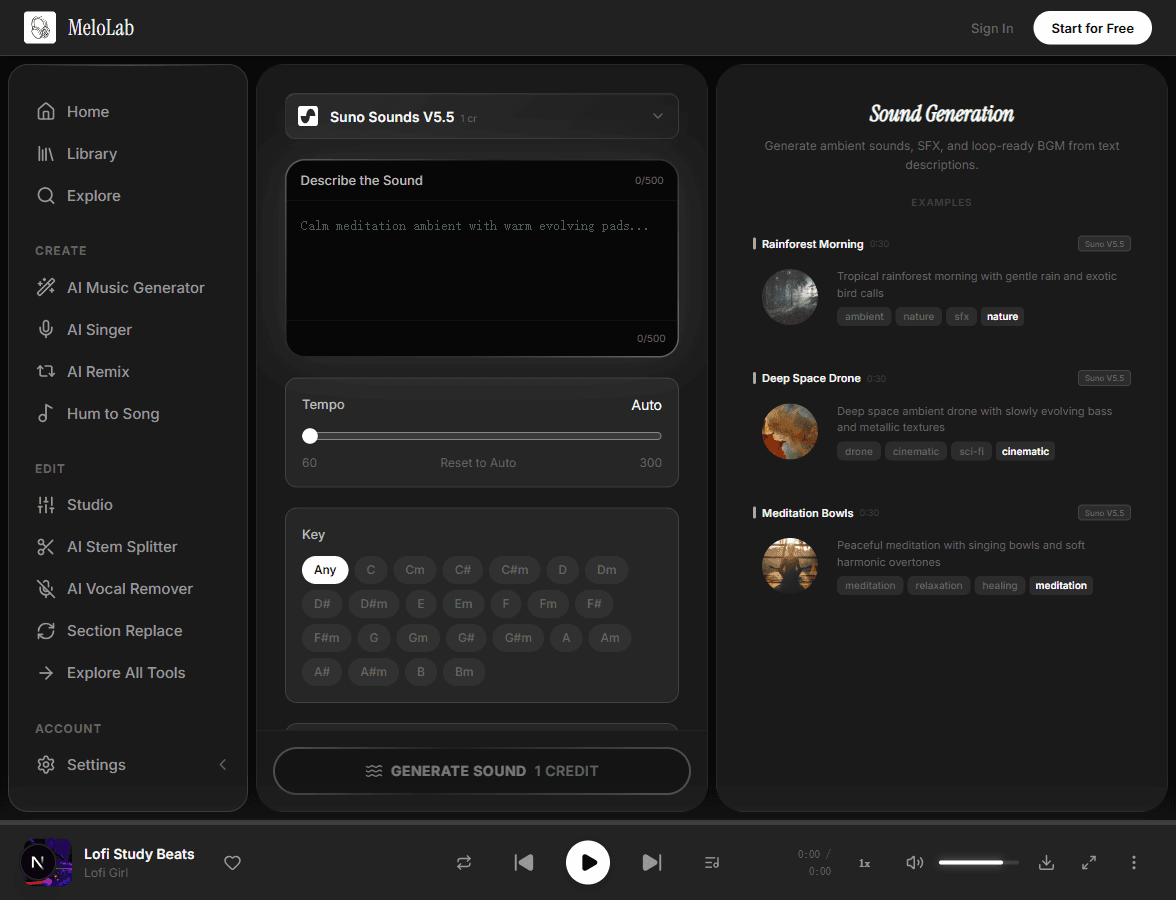
Describe the Sound

Type the sound effect you need, including source, mood, timing, and scene context.

Choose target style
🎷Jazz
🎧Lo-fi
🎸Rock
🎻Classical
🎤R&B
🌈Synthwave
Generate Cover
2

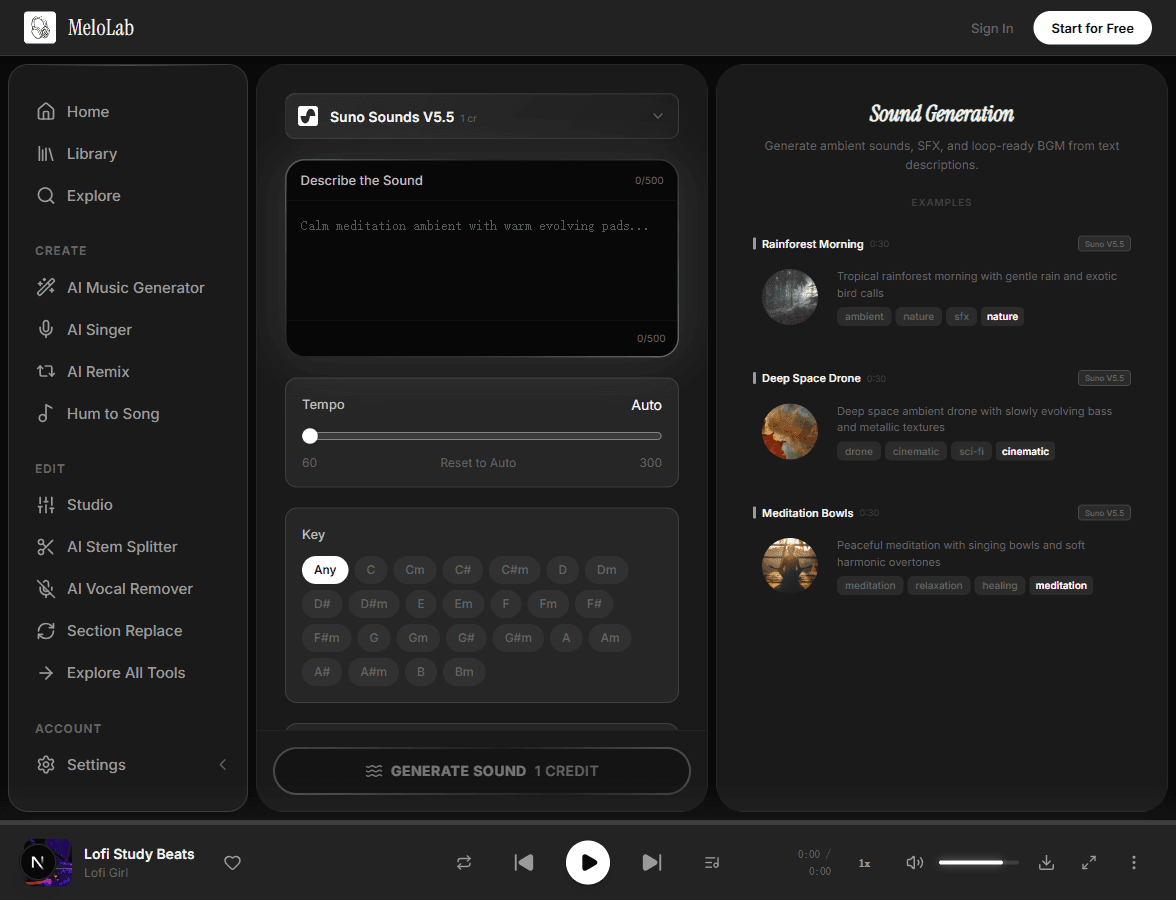
Adjust Parameters

Choose style, timing, and looping options so the generated SFX fits your video, game, podcast, or app.

Generated song
Dreamy Lofi Sunset
3:24Lo-fi 1.2K
3

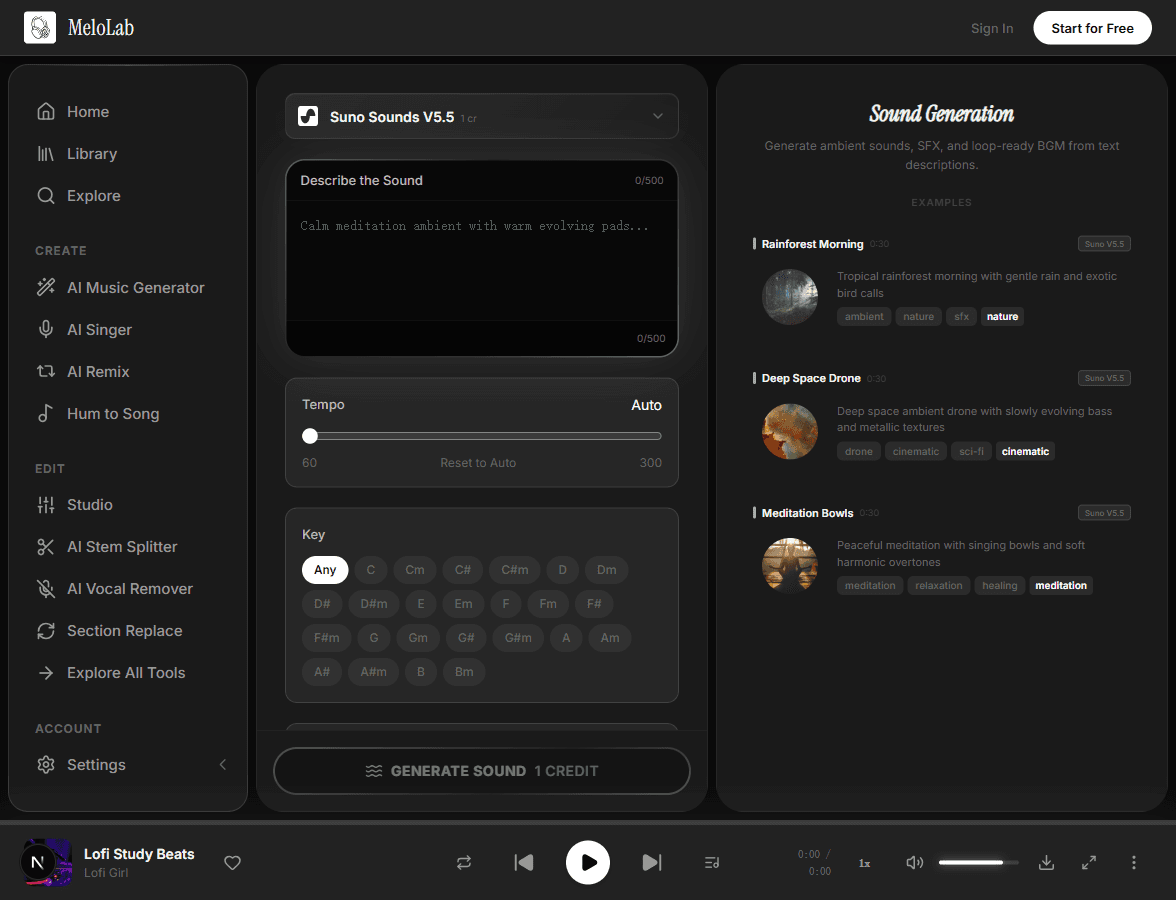
Generate & Download

Generate variations, preview the best take, and download the sound effect as MP3 or WAV.

How to Generate Custom Sound Effects with AI — Step by Step

1

Describe the Sound Effect

Type a natural language description of the SFX you want to create: a retro coin pickup, cinematic impact, app notification, sci-fi door unlock, podcast stinger, or seamless ambience loop. Include timing, texture, and scene context.

melolab.ai/app
Describe a sound effect for AI generation in MeloLab Sound Generator
2

Adjust Parameters

Fine-tune style, timing, intensity, and loop behavior so the generated audio can fit a video edit, game event, podcast bumper, product UI, or social clip without sounding generic.

melolab.ai/app
Adjust sound generation parameters in MeloLab Sound Generator
3

Generate & Download

Generate SFX variations, preview the strongest result, then download MP3 or WAV audio for your editor, DAW, game engine, app prototype, or podcast workflow.

melolab.ai/app
Generate and download AI sound in MeloLab Sound Generator

From Description to Sound

Input

Text description of the sound effect you want

Natural languageKeywords

AI Processing

AI interprets the cue, timing, texture, and context, then generates matching SFX variations

~10-30 seconds

Output

Sound effect or ambience audio clip, optionally loop-ready

MP3WAV

Tips for Better AI Sound Effects

Name the Moment

Tell the AI where the cue appears: button press, level complete, logo reveal, podcast intro, jump scare, or scene transition. Context helps the sound effect feel intentional.

Fast app notification sound, friendly fintech tone, soft pop, tiny bell shimmer, under one second

Specify Length and Tail

For UI and game SFX, include duration, attack, and decay. For ambience, ask for a seamless loop and describe how dense or subtle it should be.

One-second magic spell cast, quick bright attack, airy sparkle tail, no melody

Blend Source and Style

Combine a real source with a style direction, such as mechanical, organic, retro, cinematic, glitchy, cute, clean, dark, or minimal.

Mechanical door unlock sound effect, cyberpunk keypad, servo movement, clean click, subtle neon chime

Why Choose Our Sound Generator

Text to Sound Effects

Describe a cue in plain English and generate SFX from text, from UI blips and game pickups to impacts, whooshes, and ambience beds.

Short cyberpunk door unlock SFX with a soft mechanical click and bright UI chime
sfxui audiogame ready
Generate

SFX and Ambience Loops

Create loop-ready ambience, drones, room tones, and repeating game audio cues that can sit under scenes or levels.

Timing and Mood Control

Guide length, motion, intensity, texture, tempo, and mood so each sound effect lands with the cut or interaction.

Prompt-Aware Generation

Prompt-aware audio generation turns scene context into usable SFX variations you can compare, trim, and export.

ACE StepACE Step
MiniMaxMiniMax
Google LyriaGoogle Lyria

Related AI Music Tools

About Sound Generator

MeloLab's AI Sound Effects Generator helps creators turn text into short, usable SFX without recording foley or building a sound-design chain from scratch. Describe the moment you need - a UI tap, retro coin pickup, cinematic riser, glitch transition, heavy impact, forest ambience loop, podcast stinger, or app notification - and generate an audio clip you can audition in context. The workflow is built for video editors, game developers, podcasters, app teams, and social creators who need original sound effects fast. Use style, duration, mood, and loop instructions in the prompt, then download the result as MP3 or WAV. License availability depends on your plan and is shown before export, so teams can separate personal experiments from commercially cleared production assets.

Sound asset proof

Generate the small sounds that make a project feel finished

Useful for UI cues, channel stings, game feedback, transitions, and quick sound assets that do not need a full song workflow.

Fictional indie game developer avatar for Nova P.

Nova P.

@novadev · Indie game developer

Game scene to loop

I needed a menu loop and boss cue that did not sound like free asset-pack music. The prototype finally had one audio identity.

Prototype audio

Menu loop, battle cue direction, and export checklist.

Fictional YouTube Shorts creator avatar for Sarah K.

Sarah K.

@sarahcuts · YouTube Shorts creator

Script to publishable hook

The script already had the pacing. MeloLab helped me turn it into a hook track I could cut around without hunting stock music.

Shorts-ready asset

30-second BGM direction, caption angle, and export checklist.

Fictional Shopify ad editor avatar for Maya R.

Maya R.

@northstudio · Shopify ads editor

Product brief to jingle

The product page became a short jingle before my ad edit was finished. That is exactly the speed a small brand needs.

Ad package

Brand hook, CTA ending, and commercial-use export path.

Frequently Asked Questions

Start Creating Sound Generator for Free

No credit card required. Start creating in seconds.

Your next song starts here.

No credit card required. Generate your first track in under 60 seconds.

View Pricing