
Instrumental Maker

Create instrumental backing tracks online from vocals, toplines, or rough song ideas.

New

Instrumental from Vocals

Create instrumental accompaniment for your vocals

Commercial terms before export
Credits and storage visible
Songs, stems, mastering

How to Use the Instrumental Maker — Step by Step

1

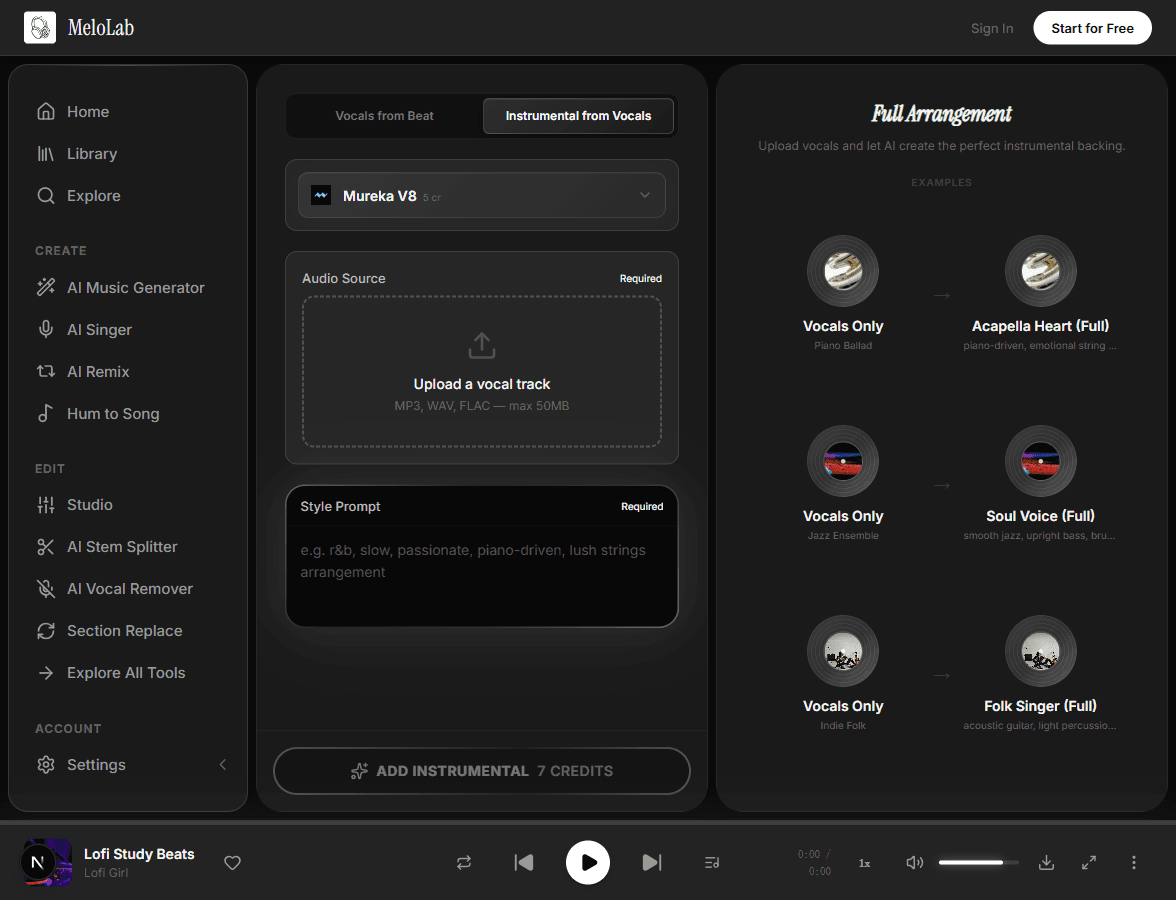
Upload Your Vocal Track

Select an a cappella recording from your device or your MeloLab library. The AI works best with clean vocal recordings: sung melodies, toplines, spoken word, or rapped vocals. Supported formats include MP3 and WAV.

melolab.ai/app
Upload vocal recording for instrumental generation in MeloLab Instrumental from Vocals tool
2

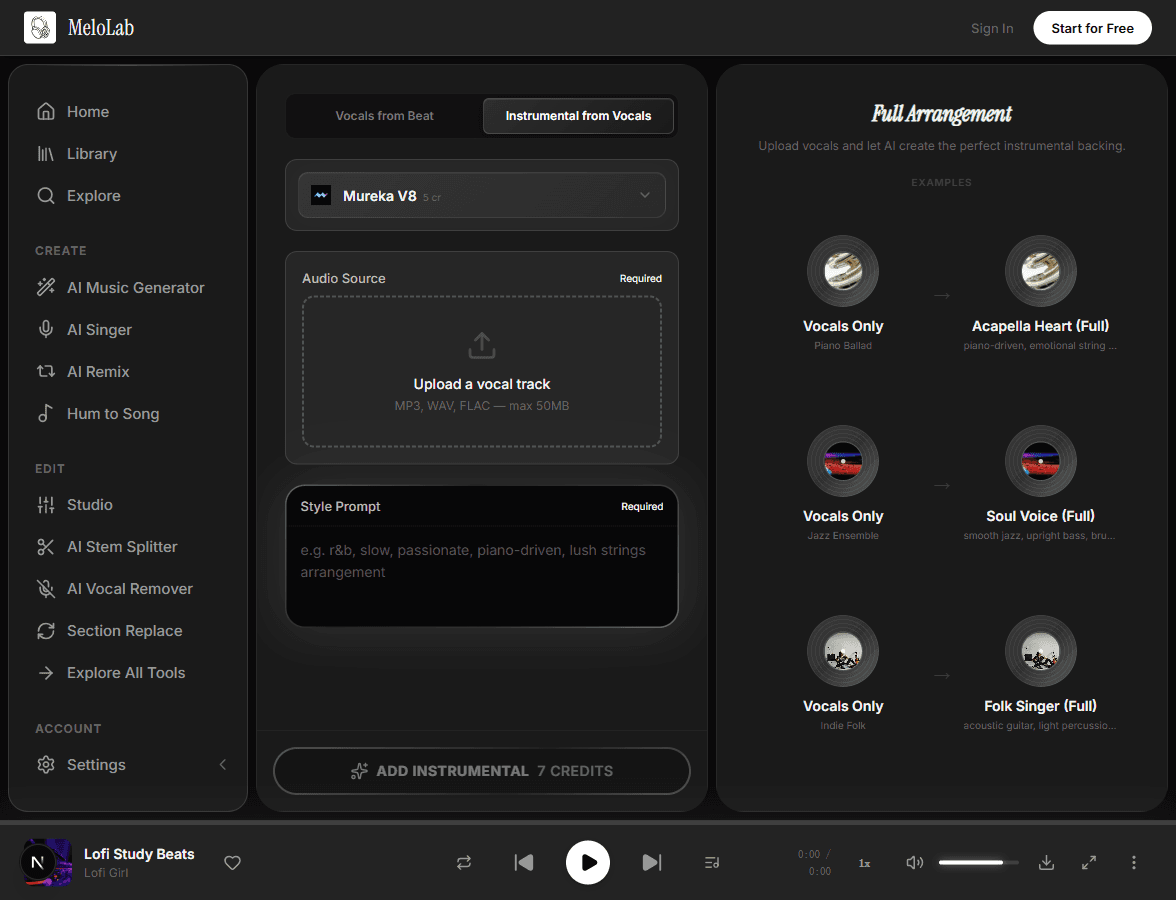
Choose Musical Style

Describe the genre and instrumentation you want backing your vocals — from stripped-back acoustic guitar to orchestral arrangements, electronic beats, or jazz combos. The AI estimates your vocal key, tempo, and dynamics to create a compatible accompaniment draft.

melolab.ai/app
Choose musical style for instrumental backing in MeloLab Instrumental from Vocals
3

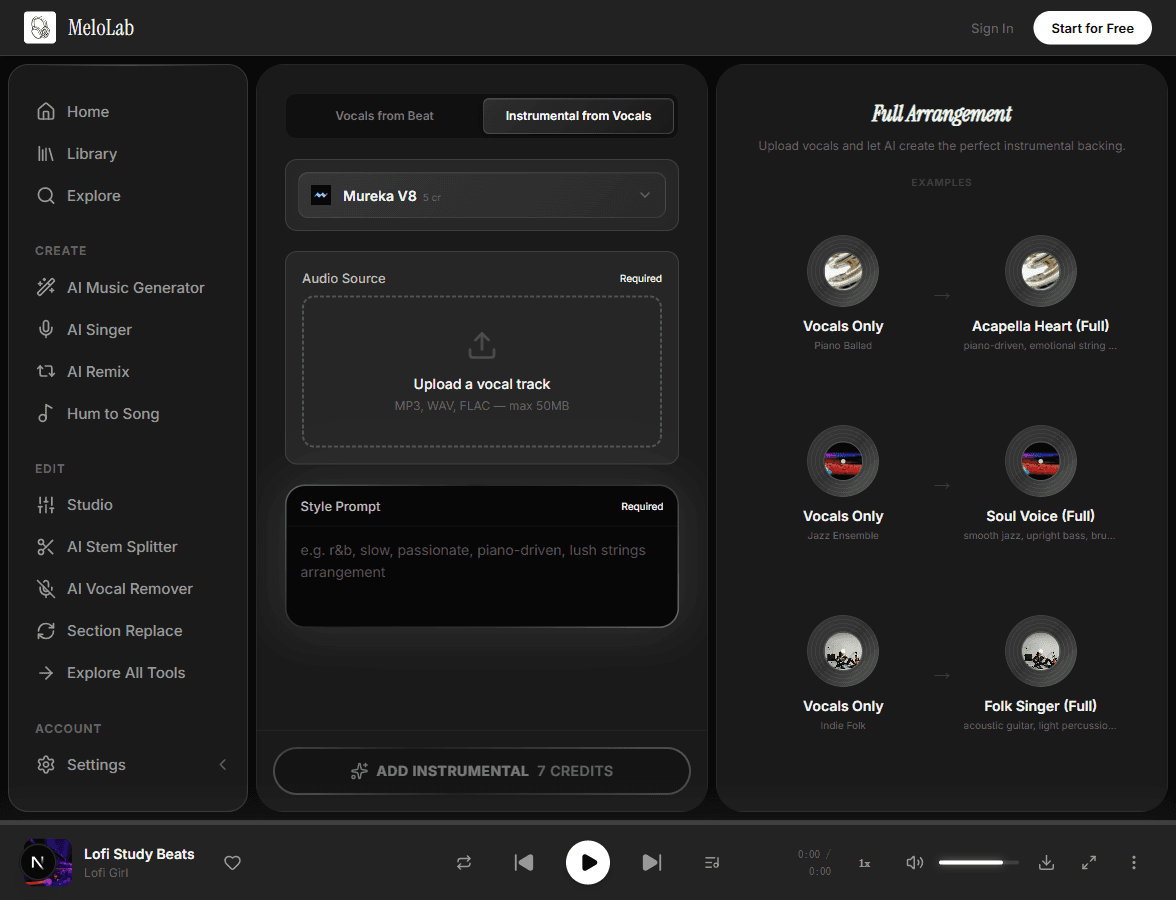
Generate Instrumental

Click generate and the AI creates an instrumental arrangement around your vocal dynamics, with room for stronger passages and softer lines. Download the mix with your original vocal layered over the new instrumentation, then review the arrangement before release.

melolab.ai/app
Generate instrumental accompaniment for vocals in MeloLab Instrumental from Vocals

What You Can Create with an Instrumental Maker

Produce Your A Cappella Recordings

Record yourself singing in your bedroom and create an instrumental arrangement around the melody before refining the final production.

Try Different Production Styles

Upload the same vocal and generate multiple instrumental maker versions with different instrumentation: acoustic, electronic, orchestral, or band-style. Find the production style that best serves your song.

Create Backing for Vocal Demos

Songwriters can add instrumentation to vocal demos and share a fuller arrangement with producers, collaborators, or bandmates.

Make Instrumental from Song Sketches

Start from a rights-cleared vocal memo, topline, or rough melody and generate a new instrumental direction before arranging the full song.

Instrumental Maker Workflow

Input

Your a cappella vocal, topline, or rough sung idea

MP3WAVM4A
Max 20 MB

AI Processing

AI analyzes your vocal's key, tempo, and emotion, then generates instrumental accompaniment

~30-60 seconds

Output

Vocal demo with AI-generated instrumental backing

MP3WAV

Instrumental Maker Prompt Tips

Name the Arrangement Job

Tell the AI whether you need a sparse backing track, a full band demo, a cinematic bed, or a loop-friendly instrumental generator result.

Create a full band instrumental around this vocal, warm indie pop, steady drums, melodic bass, soft synth pad

Describe the Vocal Source

Mention whether the upload is an a cappella hook, phone memo, rap topline, chorus idea, or rights-cleared song sketch. This helps the instrumental maker follow phrasing instead of fighting it.

Use Free Tests for Style Direction

Start free with short style tests before spending more credits on a final arrangement. Compare acoustic, electronic, orchestral, and beat-driven versions of the same vocal.

Free-start test: make an acoustic instrumental from this vocal, fingerpicked guitar, intimate room, no drums in verse

Separate Creation from Extraction

Use this page to create new backing music around vocals. If you need to make instrumental from song audio by removing vocals, use the vocal remover or stem splitter workflow.

Why Choose Our Instrumental Maker

Instrumental Maker Online

Describe any music style, from jazz ensemble to orchestral, and generate accompaniment around your vocal idea

Key & BPM Guidance

AI estimates your vocal's key and tempo so the instrumental can follow a compatible musical direction

Keeps the Vocal as the Guide

Your original vocal recording guides the instrumental arrangement while the AI adds backing music

Demo-Ready Output

Create a complete vocal-plus-instrumental demo that you can review, rewrite, or continue producing

Related AI Music Tools

Related Music Styles

About Instrumental Maker

MeloLab's Instrumental Maker helps you create instrumental backing tracks from vocals, toplines, a cappella hooks, and rough song ideas. Upload a vocal recording, describe the arrangement style you want, and generate accompaniment that follows the vocal's key, phrasing, and emotional direction. Use this instrumental maker online when you want to make instrumental music around a melody you already sang, turn a vocal memo into a fuller demo, or test different production styles before committing to a final arrangement. It also works as an instrumental generator for rights-cleared song sketches when you need a new backing track direction, not a simple loop. Unlike a vocal remover, this workflow creates new backing music around your vocal instead of extracting an instrumental from a finished song. If your goal is to make instrumental from song audio by removing vocals, use the vocal remover or stem splitter instead. Clear timing, a dry vocal take, and a prompt with genre, instruments, and energy curve usually produce the most useful draft.

Arrangement proof

Build a backing idea around the vocal center

Useful for demos, podcast themes, creator songs, and client sketches where the voice or lyric comes first.

Fictional podcast host avatar for Riley J.

Riley J.

@rileyrecords · Podcast host

Show concept to intro music

My show needed an intro that sounded like mine, not a template. I wrote the vibe in plain English and got an opener I can reuse.

Audio identity

Intro, outro, and segment bumper directions.

Fictional Shopify ad editor avatar for Maya R.

Maya R.

@northstudio · Shopify ads editor

Product brief to jingle

The product page became a short jingle before my ad edit was finished. That is exactly the speed a small brand needs.

Ad package

Brand hook, CTA ending, and commercial-use export path.

Fictional remix musician avatar for Marcus T.

Marcus T.

@marcusloops · Remix maker

Track to editable stems

The stem workflow is where it clicked for me. I can split, remix, and rebuild ideas without starting from a blank session.

Edit workflow

Vocal, drums, bass, and instrumental paths for remixing.

Frequently Asked Questions

Start Creating Instrumental Maker for Free

No credit card required. Start creating in seconds.

Your next song starts here.

No credit card required. Generate your first track in under 60 seconds.

View Pricing